GPT Image 2 (ChatGPT Images 2.0) AI Image Generator
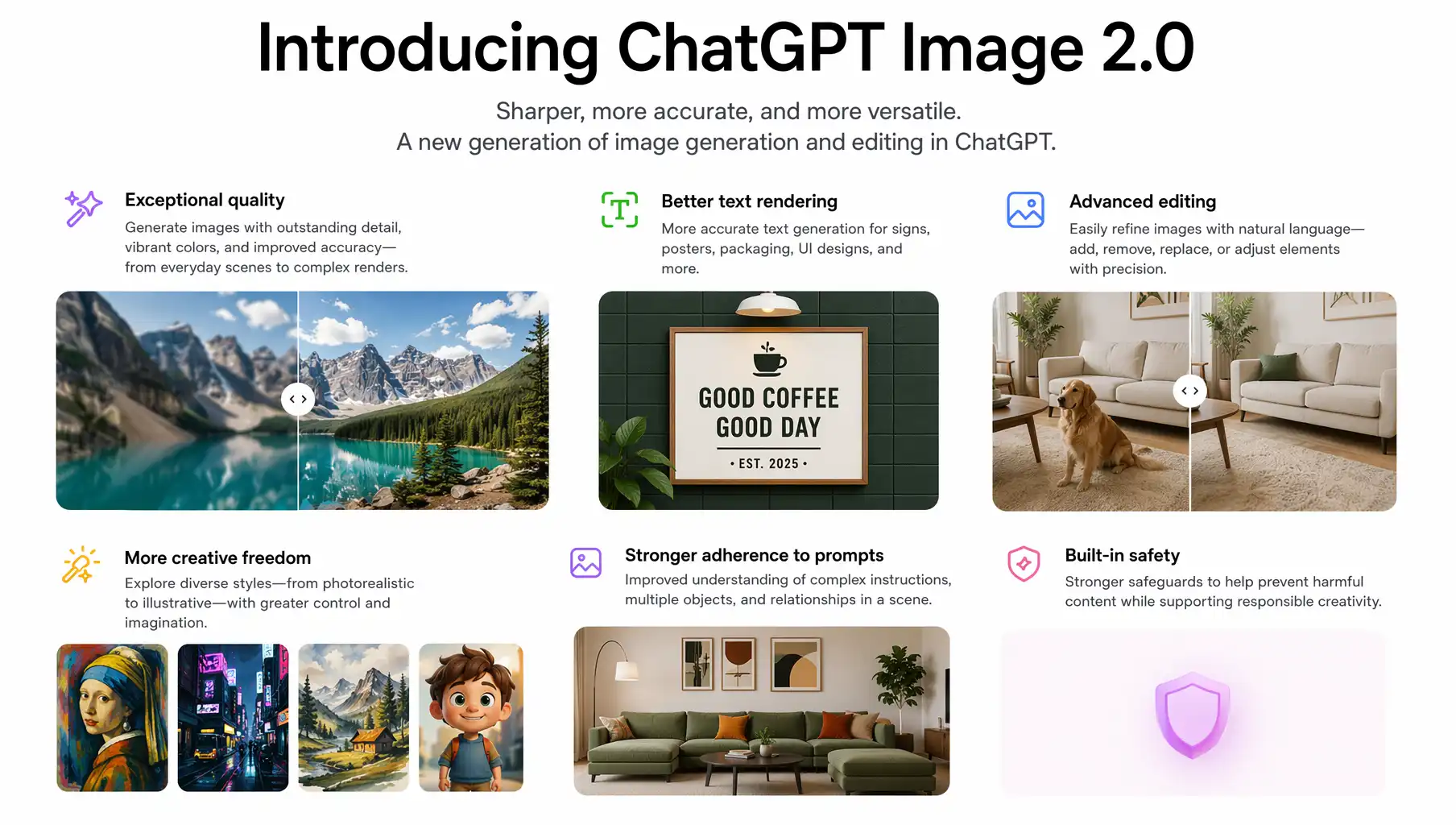
GPT Image 2 is OpenAI's next-generation image generation and editing model, officially released on April 21, 2026 (product name: ChatGPT Images 2.0, API model:
gpt-image-2). It debuts the Thinking Mode — search the web, analyze files, and plan the composition before generation — and supports native 2K output, multilingual text rendering, multi-turn natural-language editing, and up to 8 consistent images per prompt, fully outclassing the original gpt-image-1.
Use cases: Magazine Covers | Infographics | Multi-panel Comics | Character Sheets | Multilingual Posters | Maps & Slides | Brand Visuals | E-commerce Hero Images
About GPT Image 2
GPT Image 2 is OpenAI's next-generation multimodal image model, officially launched on April 21, 2026. The product is branded as ChatGPT Images 2.0, and the API model name is gpt-image-2. Knowledge cutoff is December 2025 — the gap is filled in real time by Thinking Mode's web search.
Compared with the original gpt-image-1 (2025), the new version makes leaps in four dimensions:
- Thinking: From "black-box generation" to "think before you draw" — calling web search and file analysis as needed
- Text Rendering: From frequent gibberish → multilingual accuracy, especially for non-Latin scripts (Chinese, Japanese, Korean, Hindi, Bengali)
- Consistency: Up to 8 images per prompt, with character, object, and style locked across the set
- Editing: From "regenerate" to multi-turn conversational editing in natural language
AIGCVA has integrated gpt-image-2 from day one. No OpenAI account, no API key — just visit the AIGCVA App Center and start creating for free.
GPT Image 2 Key Features
🧠 Thinking Mode (Brand New)
GPT Image 2 brings OpenAI's O-series reasoning into image generation for the first time:
- Web search: Auto-retrieve the latest news, people, products, and brand info to inform your image
- File analysis: Read uploaded PDFs, spreadsheets, or design briefs and turn them into visual content
- Layout planning: Internally "sketch" the composition before pixel generation, ensuring information hierarchy, text placement, and proportions are right
- Best for: Magazine covers, infographics, recruitment posters, maps, enterprise slides — anything that needs rigorous structure
Thinking Mode adds a few seconds to generation time but dramatically increases information density and professional polish, often eliminating the need for revisions.
✍️ Multilingual Text Rendering (Breakthrough)
GPT Image 2 sets the new industry bar for in-image text:
- Latin scripts: English, French, German, Spanish, Portuguese — long sentences with 95%+ spelling accuracy
- Chinese / Japanese / Korean: Native CJK support — taglines, menus, and signage are clear and readable
- Hindi / Bengali: First-class support for complex non-Latin scripts, expanding to more global markets
- Mixed-language layouts: EN+ZH, JA+EN, ZH+JA+KR mixed in the same canvas with auto-balanced typography
- Best for: Logo concepts, poster headlines, menus, infographics, product packaging, social long-form posts
🔁 Multi-Turn Natural-Language Editing
No more masks or layers — describe the change in one sentence:
- Inpainting: "Replace the background with a sunset beach", "Change the jacket to leather"
- Add / remove objects: Add or remove people, products, text, or props with words
- Outpainting: Smartly extend the canvas to fit landscape, portrait, or any aspect ratio
- Background swap: Replace the backdrop in one sentence while keeping the foreground intact
- Global tweaks: "Make the sky more dramatic", "Move the subject to the left"
- Iterate in conversation: Keep refining without ever starting from scratch
🎭 Character & Object Consistency · Up to 8 Images per Prompt
Lock faces, products, or logos and keep them consistent across the entire set:
- Up to 8 images at once: A single prompt can output up to 8 consistent images
- Character lock: Identity stays stable across different poses, outfits, lighting, and scenes
- Object consistency: Products look identical across multiple angles and scenes
- Brand consistency: Mascots, IP characters, and brand elements stay on-tone across asset series
- Best for: Comic panels, character sheets, IP extensions, product catalogs, ad campaigns
🖼️ Flexible Aspect Ratios · 2K Native / 4K Optional
Covers every platform need out of the box:
- Aspect ratios: From 3:1 to 1:3, including 1:1, 3:4, 4:3, 9:16, 16:9, ultra-wide and tall formats
- Native 2K resolution: Crisp output suited for modern displays and social platforms
- Optional 4K upscaling (API): Print-quality output for posters, key visuals, and high-DPI work
- Watermark-free export: All outputs are watermark-free, ready for commercial use
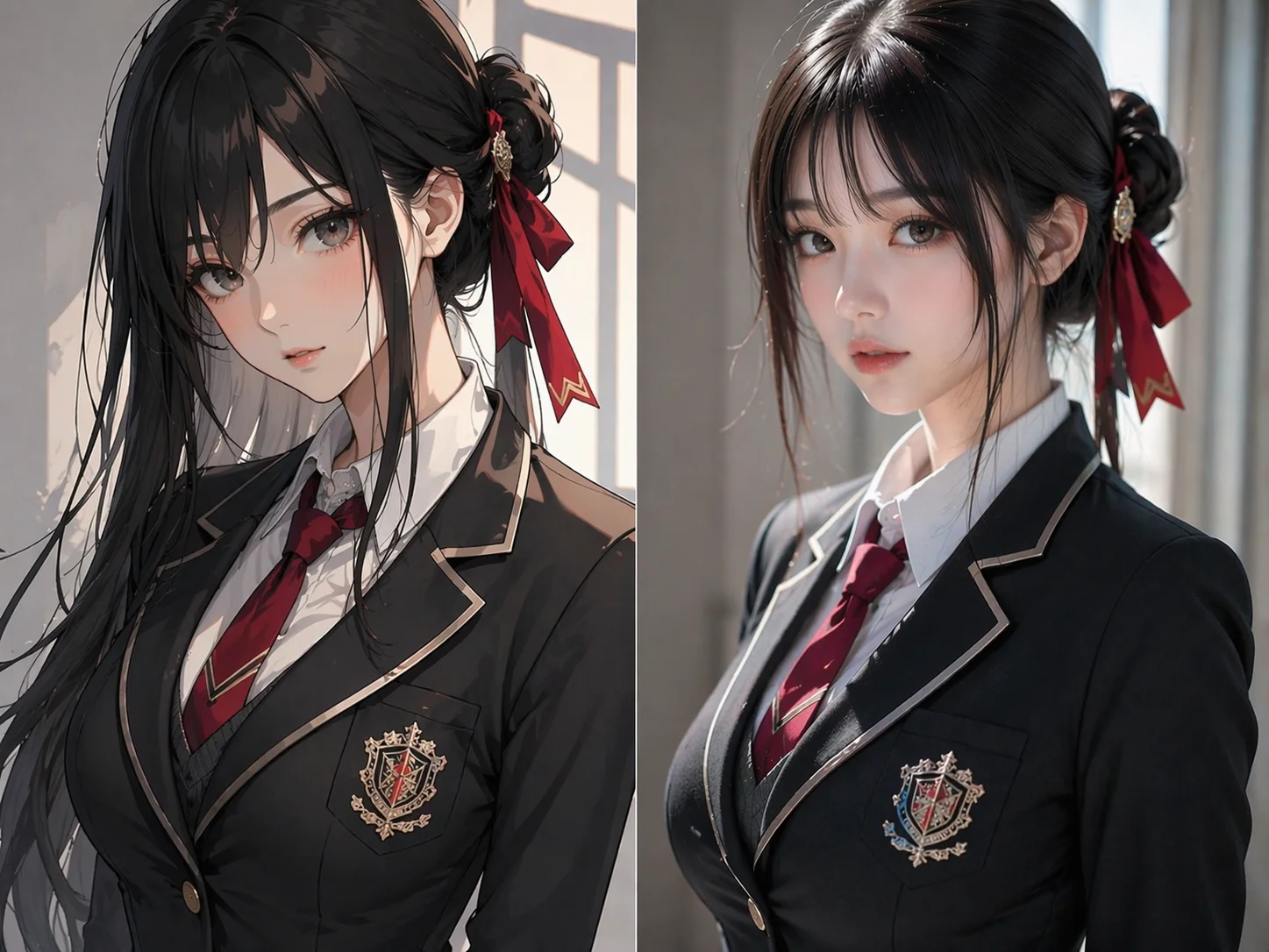
🌈 Multi-Image Fusion & Style Transfer
Upload multiple reference images to fuse concepts, subjects, and styles:
- Concept fusion: Combine multiple visual elements into a single coherent composition
- Style transfer: Apply a reference image's color palette, brushwork, or era to a target image
- Structure preservation: Switch styles while keeping the original composition and subject details intact
- Cross-domain blending: Realistic portrait + oil painting landscape, product photography + film noir mood — all handled with ease
🏗️ Complex Composition & Detail Fidelity
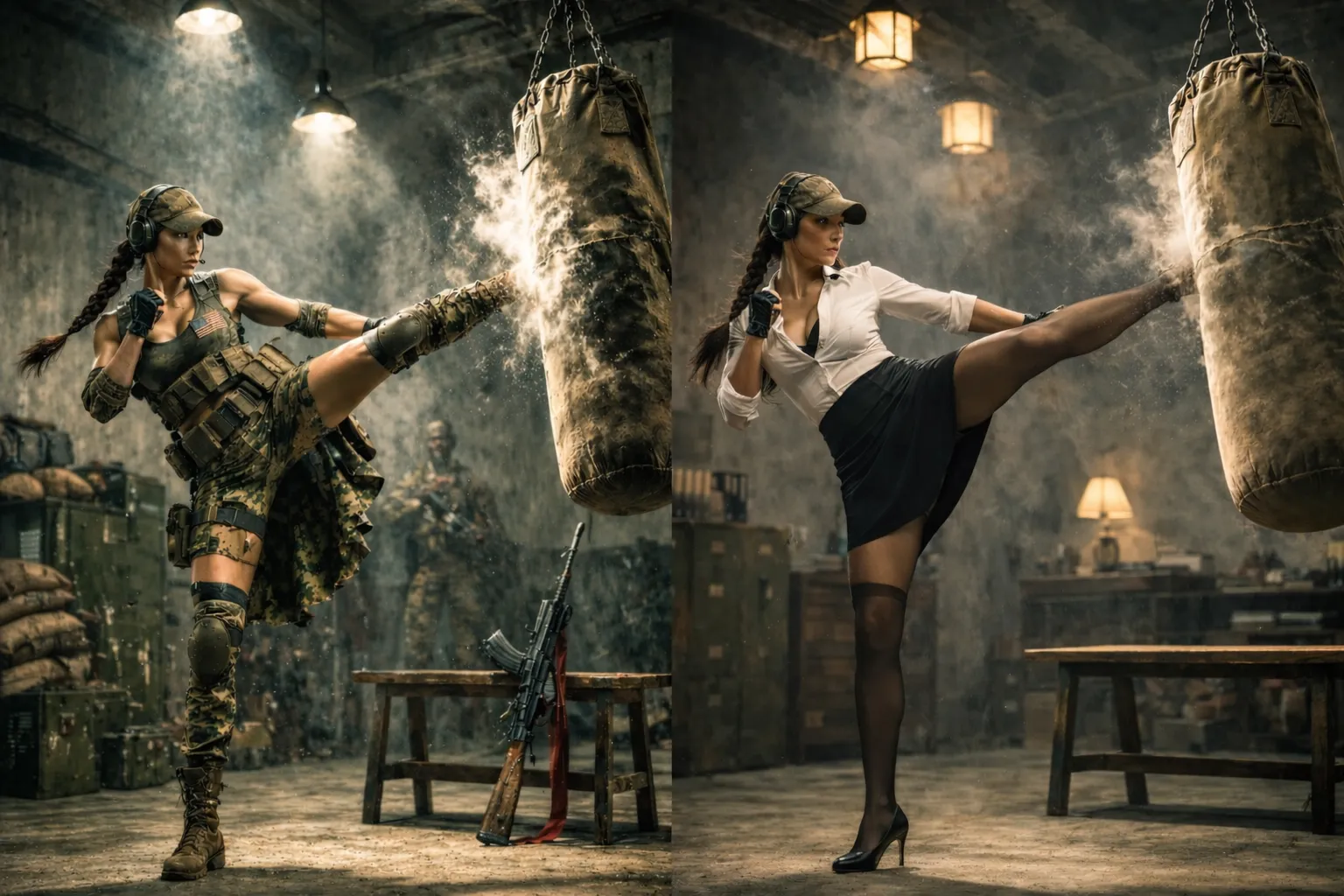
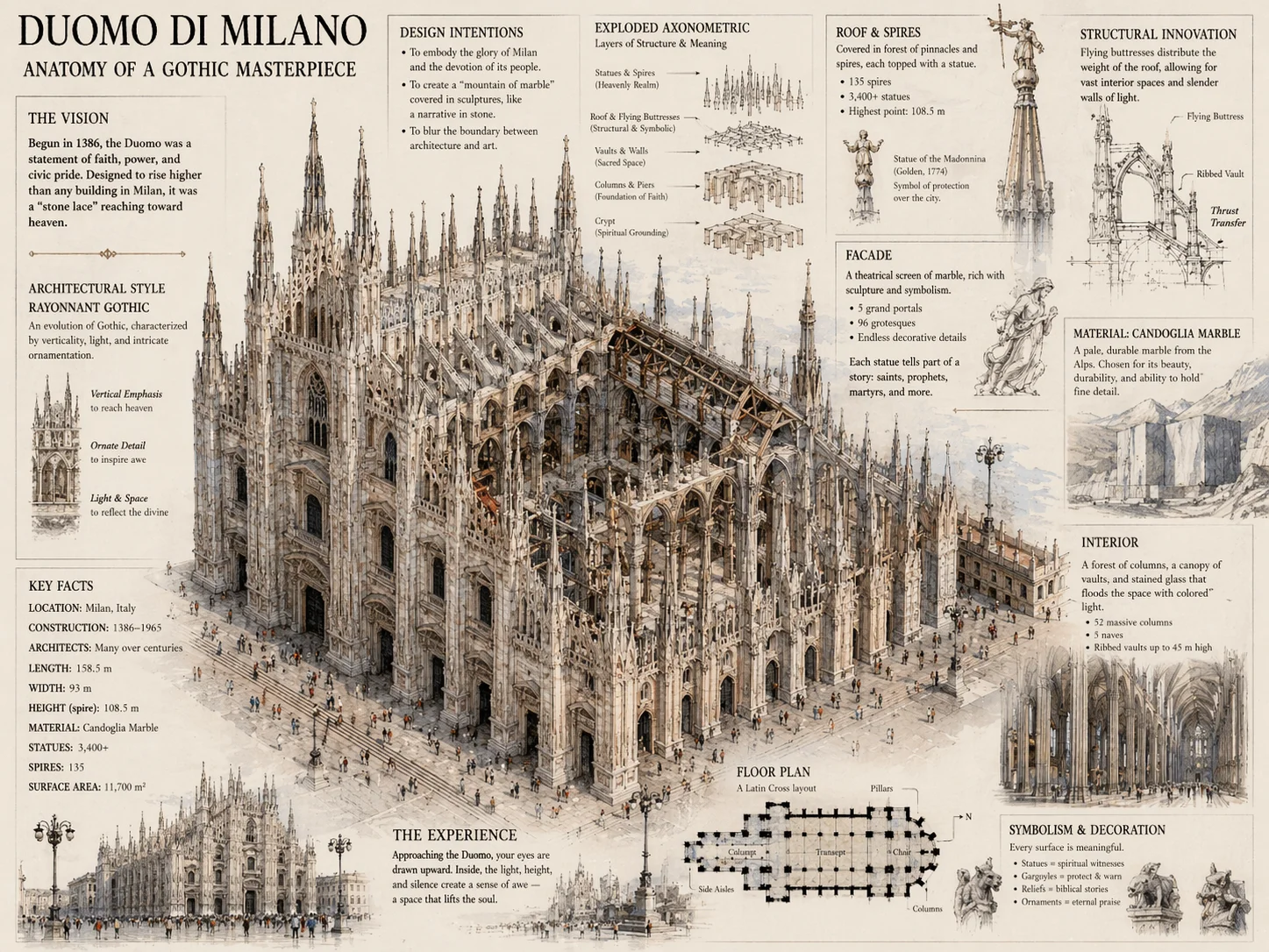
Powered by Thinking Mode and multimodal reasoning, GPT Image 2 excels at complex scenes:
- Architectural perspective: Towers, churches, and interior spaces with accurate perspective
- Mechanical structures & diagrams: Gears, exploded views, flowcharts, and technical illustrations are clear and readable
- Crowd scenes: Faces and limbs no longer "warp" when multiple people appear together
- Tiny details: Hands, jewelry, text labels, and other fine details are faithfully rendered
GPT Image 2 vs gpt-image-1 vs Mainstream Models
| Capability | gpt-image-1 (original) | Midjourney v7 | gpt-image-2 |
|---|---|---|---|
| Reasoning (search + planning) | ❌ None | ❌ None | ✅ Thinking Mode |
| Text rendering accuracy | Frequent gibberish | Poor | Multilingual 95%+ |
| Non-Latin scripts (CJK / Hindi) | Weak | Weak | Native support |
| Max consistent images per prompt | 1 | 4 | 8 consistent |
| Multi-turn natural-language edit | Partial | None | Native |
| Default resolution | 1K | 1K | 2K native |
| Maximum resolution | 1024² | 2K | 4K (API) |
| Aspect ratio range | Few presets | Few presets | 3:1 to 1:3 |
| Commercial license | Subscription | Subscription | AIGCVA, watermark-free |
Official Showcase Scenes
OpenAI highlighted the following scenes in the ChatGPT Images 2.0 launch — all reproducible on AIGCVA:
📰 Magazine Cover
Precise layout control, headline hierarchy, multilingual subtitles — combined with Thinking Mode, generate near-print-ready cover designs.
🎭 Character Sheet
A single prompt produces multi-angle, multi-expression, multi-pose views of the same character — ideal for game, animation, and comic pre-production.
🌍 Global Language Diagram
Native support for mixing multiple languages in the same image (EN, ZH, JA, KR, etc.) — a powerhouse for education, cross-border marketing, and international reports.
📚 Multi-paneled Comic
Coherent narrative, consistent characters, dialogue bubbles — up to 8-panel comics in a single generation.
🗺️ Maps & Slides
Use Thinking Mode to analyze data and auto-generate data-labeled maps, flowcharts, and enterprise-grade slides.
GPT Image 2 Use Cases
📱 Advertising & Marketing
- Social posts for WeChat Moments, Instagram, Xiaohongshu, and X
- E-commerce hero images, SKU visuals, detail page illustrations
- Holiday posters, campaign key visuals, banner ads
🛍️ E-commerce & Product Visuals
- Product lifestyle shots, scene shots
- Background swap, lighting swap, canvas extension to all platform sizes
- Consistent visual style across product lines
🎨 Brand & Visual Design
- Logo concept sketches, brand color extension
- Mascot / IP character extension across scenes
- Infographics, data visualization, flow diagrams
🎬 Content Creation & Film
- Short-video covers, podcast covers, banners
- Storyboards, comics, screenplay concept art
- Character design, scene design, prop design
📚 Education & Publishing
- Textbook illustrations, knowledge visualization
- Children's picture books, science posters
- Magazine and book editorial illustrations
How to Use GPT Image 2 on AIGCVA
1. Open the AIGCVA App Center
Go to the AIGCVA App Center and select GPT Image 2 (gpt-image-2) from the model list.
2. Choose a Mode
- Quick Mode (default): A few seconds per image, perfect for everyday creation
- Thinking Mode: Searches the web + plans layout before generation — use for magazine covers, infographics, rigorous posters, and other high-stakes scenes
3. Write an Effective Prompt
Recommended structured prompt template:
[Subject] + [Style] + [Scene / Environment] + [Composition / Camera] + [In-image text] + [Quality]Example prompt:
A minimalist product advertising poster featuring a bottle of yuzu-flavored sparkling water (YUZU SPARK),
surrounded by sliced yuzu and water splashes, soft beige gradient background,
elegant serif English text "YUZU SPARK" in the upper right corner,
small text "Sparkling Yuzu · 330ml" below it,
top-down composition, soft overhead lighting, 2K HD, commercial photography quality
4. Upload Reference Images (optional)
- Upload 1–3 reference images: people, products, logos, or style references all work
- Be explicit in the prompt about what to lock and what style to borrow
- The clearer the reference and the more prominent the subject, the better consistency you get
5. Tune Parameters
- Aspect ratio: 3:1 to 1:3 — covers landscape, portrait, ultra-wide, and tall formats
- Resolution: 2K by default; enable 4K upscaling for print-quality output
- Batch size: 1–8 consistent images per run — pick the best or generate the full series in one go
- Style presets: Realistic photo, cinematic, 3D render, flat illustration, and more
6. Iterate with Natural Language
Not happy with the result? Just describe the edit:
- "Change the model's coat to a cream-colored trench coat"
- "Make the English text in the upper right larger and black"
- "Replace the background with a city rooftop at dusk"
- "Keep the character the same, switch the overall style to oil painting"
Prompt Optimization Tips
✅ Be specific about the subject
- ❌ A woman
- ✅ A 25-year-old Asian woman with long curly hair, beige knit sweater, gentle smile
✅ Define the style precisely
- ❌ Oil painting
- ✅ 19th-century Impressionist oil painting, soft brushstrokes, warm palette, visible brush texture
✅ Quote in-image text explicitly
- ❌ Some English text on the poster
- ✅ Bold serif English text "NEW SEASON" at the top, with smaller text "Spring 2026" directly below
✅ Turn on Thinking for complex jobs
- Magazine covers / infographics / data-rich posters / multi-panel comics → enable Thinking Mode
- Simple single images / avatars / stylized illustrations → keep Thinking off for faster results
✅ Quality keywords
- Photography: commercial photography, cinematic lighting, 85mm lens, shallow depth of field, natural light
- Design: vector illustration, flat design, isometric, Material Design style
- Art: watercolor, concept art, Studio Ghibli style, cyberpunk
Frequently Asked Questions
What is GPT Image 2 best at?
Best at: magazine covers, infographics, multi-panel comics, commercial posters, e-commerce hero images, multilingual ads, brand visuals, character IPs, product lifestyle shots. Also great for: illustrations, concept art, photorealistic shots, 3D-style renders, maps, enterprise slides.
What's the relationship between gpt-image-2 and ChatGPT Images 2.0?
gpt-image-2 is the model name in the API and developer docs; ChatGPT Images 2.0 is OpenAI's consumer-facing product name. Both refer to the same underlying model. AIGCVA integrates gpt-image-2 directly.
Can I use the generated images commercially?
Yes. Images generated on AIGCVA are watermark-free by default and may be used for commercial purposes within applicable terms. See the AIGCVA Terms of Service for license details.
What if text rendering fails?
- Quote or bold the text content you want rendered
- Keep each text line short; split long copy into multiple lines
- Specify font style: "serif font", "sans-serif", "handwritten"
- For complex layouts (magazines, infographics) enable Thinking Mode
- Run a few generations and pick the best
How do I keep characters consistent across multiple images?
- Generate a "baseline character" first
- Upload that baseline image as a reference
- In each subsequent prompt, specify: "Use the character in the reference, keep face, hair, and outfit consistent"
- Or use the built-in 8-images-per-prompt capability to generate a consistent series in one shot
When should I use Thinking Mode?
Thinking Mode is ideal for three categories of tasks:
- Time-sensitive info: Latest people, products, news, events
- Data / file driven: Generate images from PDFs, spreadsheets, or design briefs
- Rigorous layouts: Magazine covers, infographics, maps, enterprise slides, complex posters
Get Started with GPT Image 2
No credit card, no API key — sign up and start creating with OpenAI's latest image model for free:
🎨 Try GPT Image 2 for Free Now